
Playing Sun Vegas Casino on Mobile: Browser Access, Apps and What to Check
Sun Vegas Casino reaches your phone in one of two ways: through the site in a mobile browser, or through a dedicated app if one is offered for your device. Neither route is automatically the better one. The practical question is which you can open today, and whether the version you reach behaves properly on the screen in front of you. A responsive browser session needs nothing installed, while an app has to come from a source you can identify and trust. That distinction shapes everything about playing on a handset, and it is worth settling before you create or sign in to an account.
See also:
- Mobile Browser or Dedicated App: The Two Ways to Play
- sun vegas casino: mobile access, operator details
- How to Get Started on Your Phone or Tablet
- Finding an Official App Safely and Checking Compatibility
- Account, Payments and Gameplay on a Smaller Screen
- Common Questions About Sun Vegas Casino on Mobile
- Playing Responsibly on Mobile
Mobile Browser or Dedicated App: The Two Ways to Play
What changes when the site runs in your phone’s browser
Playing through the browser commits you to very little. You open the address in Safari or Chrome, sign in, and play; nothing is installed and no storage is reserved on the device. Because the page is delivered fresh each time it loads, updates to games, menus or account screens arrive on the site’s schedule rather than through an app store release. The trade-off is housekeeping: you carry the bookmark, you type your credentials again when the session ends, and a weaker connection shows up as a slower-loading page rather than a native interface built for touch.
What an installed app adds, and where to confirm it
A dedicated app swaps that for an icon on the home screen, a layout drawn for touch and, potentially, fewer steps to reach your account. Live elements such as balances or game lobbies can update within an open session as data is exchanged with the server, so a refresh is not always needed. None of this settles whether an app exists for your handset. Sun Vegas Casino’s current mobile offering, the platforms it covers and its minimum operating system versions are details to confirm on the operator’s own pages, not assumptions to carry over from another brand. Apple’s App Store and Google Play indicate which storefronts serve UK users and list device requirements against each release; an unofficial "sun vegas casino app" file from a forum or third-party download page carries no such record and should be treated as unverified until the operator itself names the source. Check the store listing for the publisher name, version history and compatibility before installing, and check the site for a browser fallback if no app is offered on your device.
sun vegas casino: mobile access, operator details
Mobile performance depends heavily on network stability and software weight. Examine download sizes, instant-play availability and screen adaptation features to identify platforms that maintain fluidity on varied smartphone models.
| Brand | Details |
|---|---|
| sun vegas casino | The Sun Vegas is regulated by the UK Gambling Commission, and that licensing covers mobile play as much as desktop use. |
Mobile play at The Sun Vegas is still licensed gambling. The UK Gambling Commission regulates the operator, and that oversight does not thin out because you are holding a phone rather than sitting at a monitor. What it means in practice is that complaints, account queries and responsible-gambling tools follow the same regulated route regardless of the device you use to reach them.
Understanding these compatibility factors prevents interruptions during play.
How to Get Started on Your Phone or Tablet
A tablet on the arm of the sofa is a common place to start a Sun Vegas Casino session, and the first useful distinction is between a site that simply shrinks to fit and one that reflows its controls for touch. Before registering, load the homepage in portrait and then rotate to landscape: if the menu becomes a cluster of tiny links or the deposit button hides behind a scroll, the mobile experience will be fiddly regardless of how good the games are.
- Confirm the device and browser. Modern iOS and Android browsers handle the responsive site, but an older tablet or a browser with strict tracking prevention can break logins and payment redirects. Update the browser first, then reload the page before assuming the site is at fault.
- Decide between the browser and a home-screen shortcut. The shortcut sits alongside your apps and opens faster, but it is not a store-distributed application and inherits the browser’s limits. If the site offers a genuine downloadable app, it will say so on its own pages; an app found through a random search result or a third-party store is worth ignoring.
- Create the account on a trusted connection. Public Wi-Fi at a cafe is a poor place to type your date of birth, address and documents. Use mobile data or your home network, and have your ID and a recent bill ready, since registration and verification are often asked for in one sitting.
- Sign in through the site’s own form, not a saved link from an email. A bookmark you made yourself is fine; a password-reset or welcome message is not a safe entry point. If the login page looks different from your last visit, stop and open the site fresh.
- Enable your phone’s biometric lock and any account security options the site provides before depositing. This matters more on a shared tablet than a personal phone, where a family member or guest can reopen a live session without needing your password.
Once you are through the door, the mobile session is the same account as the desktop one, with the same balance and history. What changes is the surface: smaller controls, more scrolling and less room for error when a payment form appears. Keep the device charged, or expect a dropped connection at the least convenient moment.
Finding an Official App Safely and Checking Compatibility
Where an Official Download Actually Comes From
An official Sun Vegas app can only be confirmed at its point of origin. If one is offered, the download route the casino itself publishes is the one that counts: typically a link from its own site or a listing under the developer name the casino states. A store entry deserves scrutiny when the publisher name differs from the brand, the screenshots repeat another product’s interface, or the description is thin and generic. Those signs do not prove an app is fake, but they are enough to stop and compare against the casino’s own instructions before installing anything.
EU Casino No Deposit Bonus: Claiming an Offer in the Right Order
Review aggregators rarely settle the question. They collate listings, and a page can stay live long after a publisher withdraws a product or changes its name. Treat an app review as a pointer to the developer’s own material, not as confirmation that Sun Vegas publishes an app at all. The honest position is that a dedicated app may or may not exist for a given device, and the casino’s official channels are where that is stated.
Compatibility Checks That Prevent a Wasted Install
Device compatibility is more than a logo on a download page. The operating system version, available storage and, on Apple hardware, the requirement to install through the App Store rather than a downloaded file all affect whether an installation completes and keeps working. Older handsets may run the app slowly or stop receiving updates, and a sideloaded package on iOS is not a supported route.
When official channels show no app, the browser version requires no installation and receives updates as part of the site. That removes the compatibility question entirely, though it puts the burden on a stable connection and a current browser. Check the store listing’s supported devices, its last-update date and its publisher before committing. Where any of those details are absent or contradict the casino’s own guidance, the safe decision is to play in the browser and leave the download alone.
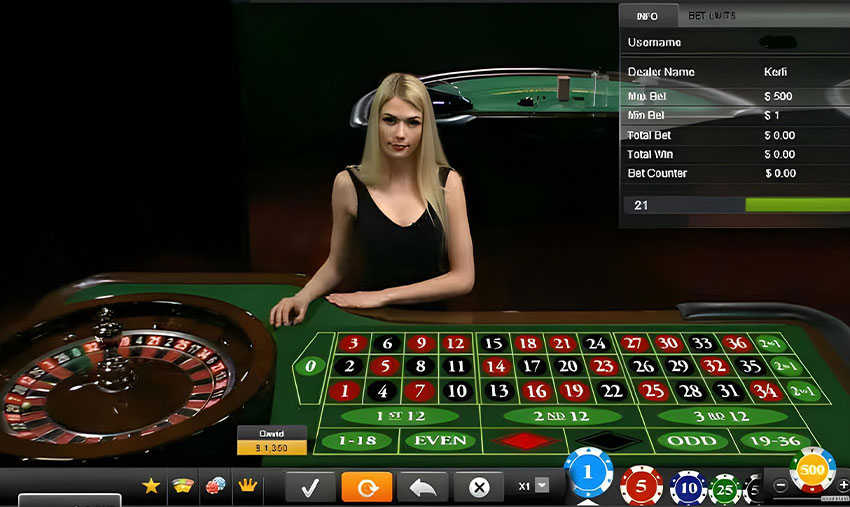
crypto casino: How They Differ and When They Suit UK Players
Account, Payments and Gameplay on a Smaller Screen
Account tasks that work the same on a phone
A phone does not offer a cut-down set of account tools compared with a desktop. Deposits, identity checks and responsible gambling controls generally route through the same account backend, so the screen size changes the layout rather than what the task does. A card deposit entered on a phone travels the same authorisation path as one made on a laptop; a document uploaded from a camera roll is assessed against the same identity requirement. What does change is the margin for error. Small form fields hide missing digits, and an autofilled card number can carry over a stale expiry date. Read each field back before confirming, particularly the payment reference and the amount. The confirmation screen matters more on a phone, because it is easy to tap through while the page is still loading.
What is harder to hold in view
Payment methods and withdrawal conditions are where a narrow screen costs the reader most. A deposit method and a withdrawal method are separate conditions, and the page that lists them may run to several screens of text. The relevant question is not whether a method appears in a menu but whether the account meets the eligibility conditions attached to it. Funding a balance with one method and later requesting a payout by another can trigger a review, hold or extra check, depending on the terms. On a phone, that terms page is often collapsed behind an accordion or a link at the bottom of a long form. Open it before you commit funds, not after. Gameplay itself behaves much as it does elsewhere, though a smaller viewport can make a game lobby harder to scan and a live dealer table harder to follow. Responsible gambling settings deserve the same attention: a deposit limit set in a hurry on a phone is still a real limit, and changing it back may involve a cooling-off period defined in the terms rather than an instant reversal.
Common Questions About Sun Vegas Casino on Mobile
Is a web shortcut on my home screen as good as installing an app?
It opens the site faster, nothing more. A shortcut is a bookmark icon, so it inherits the browser session and login rather than adding separate software; games, payments and limits remain those of the site itself.
What should I do if the mobile site or app freezes or logs me out mid-session?
Do not resubmit a bet or payment while the screen is unresponsive; the first request may still have reached the account. Note the time, reopen the page or app, and compare your balance and transaction history before acting again.
If an app disappears from my app store, can I still play on my phone?
An installed copy can keep working, but you cannot reinstall it from a listing that no longer exists. Use the mobile browser instead and look for the operator’s own guidance on supported access before removing anything.
Playing Responsibly on Mobile
A phone makes gambling easy to reach in spare minutes, so the practical safeguard is a limit you have already committed to. Decide in advance what a session can cost and how long it lasts, then use the deposit, loss and time controls available in your Sun Vegas account to hold that decision. Chasing losses, raising a stake to recover a bad run, is the pattern to stop. You must be 18 or over; the Gambling Commission regulates UK operators; GAMSTOP handles self-exclusion across licensed sites. GamCare, BeGambleAware and the National Gambling Helpline on 0808 8020 133 offer support.
casino withdrawals UK guide: payout times